Karaoke Systems for Home, Parties, and Events
Karaoke systems combine music playback, microphones, and audio output so singers can perform along with instrumental tracks or lyric videos. Compact all-in-one units suit casual home use, while component setups with a mixer, speakers, and separate source devices can serve larger rooms and gatherings. Common options include portable karaoke machines, home karaoke systems, party speakers with karaoke inputs, and professional-style PA packages. Some models display lyrics on a built-in screen; others connect to a television, tablet, or computer. The right setup depends on who will use it, where it will be placed, and how often it will travel. Consider room size, number of singers, available storage, and whether you need a system for family entertainment, social events, practice, or performances.
- All-in-one and component systems
- Options for home or event use
- Choose by space and audience
Karaoke Machine Types and Core Components
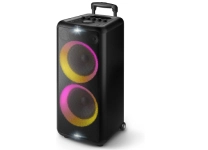
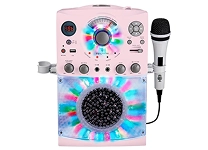
Portable karaoke machines generally integrate speakers, microphone inputs, playback controls, and sometimes a display in one unit. Home systems may pair a compact mixer with powered speakers or connect a karaoke player to an existing television and sound setup. For parties and larger spaces, a PA-style system can provide stronger room coverage, with a mixer balancing vocals and music. Check how many microphone inputs are available and whether wired or wireless microphones are included. A dedicated karaoke mixer can add vocal effects and independent volume controls, while a receiver or compatible source device supplies songs and lyrics. When comparing configurations, account for every component and connection needed to use the system, rather than judging the main unit alone. Ubuy can help shoppers discover international karaoke products and configurations.
- Portable, home, and PA-style setups
- Check microphone inputs and included parts
- Mixer controls can balance sound
Microphones, Speakers, and Sound Quality
Clear vocals depend on the relationship between microphones, speakers, and the room. Dynamic microphones are a common practical choice for singing, while wireless models offer freedom to move but require attention to battery life, charging, and receiver compatibility. Speaker specifications such as output power, driver size, and frequency response can help with comparisons, but placement and room acoustics also influence what listeners hear. Look for independent microphone and music volume controls, plus echo or reverb adjustment if you want to shape vocal sound. Feedback can occur when a microphone picks up sound from a nearby speaker, so distance and positioning matter. For a multi-singer setup, consider separate microphone controls and enough inputs. Headphone or monitor connections may also help with practice and performance preparation.
- Match microphones to input types
- Compare vocal controls and speaker output
- Position speakers to limit feedback
Song Playback, Connectivity, and Useful Features
Karaoke songs and lyrics can come from several sources, so check connectivity before choosing a system. Common options include Bluetooth for compatible audio playback, USB ports for supported files, auxiliary inputs, and connections to a television or other display. Some systems use built-in song libraries or dedicated applications; available formats and features vary, so confirm device compatibility and how lyrics will appear. HDMI or other video connections may be useful when routing lyrics to a screen, while a headphone jack can support quieter practice. Features such as pitch adjustment, vocal effects, recording, and multiple playback inputs may suit particular users, but they are not essential for every setup. Ubuy provides a place to explore karaoke systems with varied connectivity and feature combinations.
- Review audio and video connections
- Confirm file and device compatibility
- Choose effects that suit your use
Setup, Accessories, and Ongoing Care
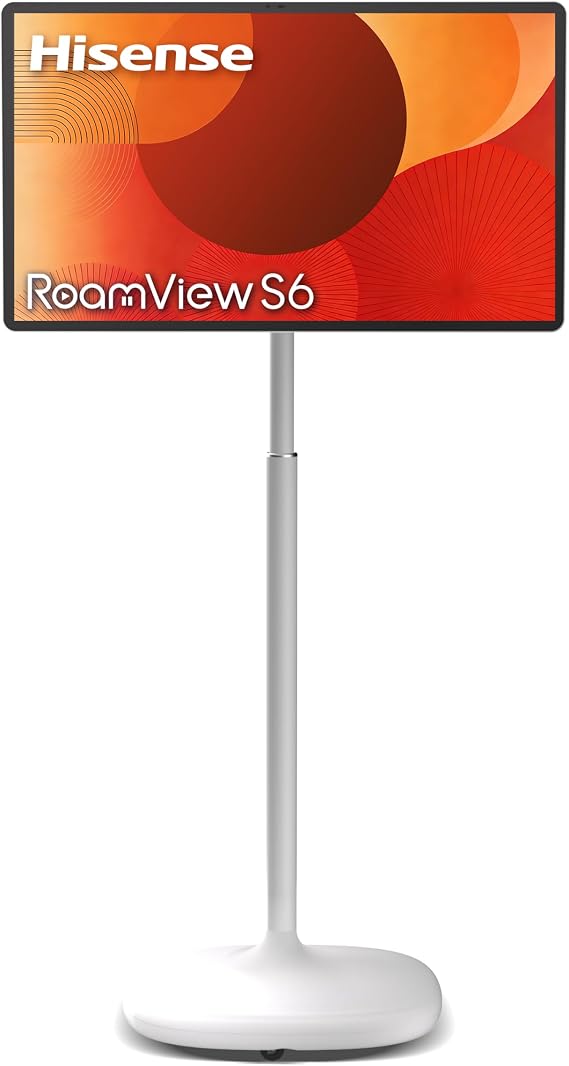
A reliable karaoke setup starts with a stable surface, accessible controls, and speaker placement that suits the room. Useful accessories may include microphone stands, replacement cables, extra microphones, rechargeable batteries, and a screen stand. Verify connector types and power requirements before adding equipment, and follow the manufacturer's guidance when pairing wireless microphones or connecting external speakers. Keep cables organized to reduce trip hazards, and avoid blocking speaker vents. After use, switch off the system, disconnect accessories as directed, and store microphones and cables in a dry, protected place. Clean exterior surfaces gently with a suitable dry or lightly damp cloth, keeping moisture away from ports and controls. Ubuy can be used to discover international accessories and karaoke equipment; check product details to confirm fit with your setup.
- Plan for stands, cables, and batteries
- Check connectors before adding gear
- Store and clean equipment carefully
Select the Right karaoke systems
Start by matching the system to its main setting: a compact portable machine for flexible casual use, a television-connected setup for home singing, or a mixer-and-speaker arrangement for a larger gathering. Then compare microphone quantity, speaker configuration, sound controls, song playback methods, and lyric display options. Review dimensions and portability if the equipment will be moved or stored regularly. Compatibility deserves close attention: verify that microphones, phones, televisions, files, and accessories work with the chosen inputs and supported formats. Consider who will operate the controls and whether straightforward setup matters more than advanced mixing features. Finally, check what is included in the package and identify any additional equipment required. Comparing these details helps narrow karaoke systems to a practical match for your space, performers, and intended use.
- Match system style to the setting
- Verify compatibility and package contents
- Balance features with ease of use